PEARL RIVER 4-S
posted 7-3-'03
TWIN- LENS REFLEX CAMERA
This camera manual library is for reference
and historical purposes,
all rights reserved.
This page is copyright©
by
 ,
M. Butkus, NJ.
,
M. Butkus, NJ.
This page may not be sold or distributed without
the expressed
permission of the producer.
I have no connection with any camera company.
On-line camera manual library
Back to main on-line manual page
If you find this manual useful,
how about a donation
of $3 to:
M. Butkus, 29 Lake Ave.,
High Bridge, NJ 08829-1701
and send your e-mail
address
so I can thank you.
Most other places would charge
you
$7.50 for a electronic copy
or $18.00 for a hard to read Xerox copy.
This will help me to continue to host this site,
buy new manuals, and pay
their shipping costs.
It'll make you feel better, won't it ?
If you use Pay Pal, use the link below.
Use the above address
for a check, M.O. or cash.
CLICK HERE FOR
PEARL RIVER 4-S PDF
MADE FROM ORIGINAL MANUAL
CLICK HERE TO
PEARL RIVER 4-S PDF
FILE MADE FROM HTML FILE

The Pearl River 4-S is a twin-lens reflex camera with photographic lens and viewing
lens. The twin-lens are 75 mm focal length and F 1:3 5, 3 elements in 3 groups.
The lens plated a violet-blue thin film. Picture of photography is 12 pictures,
size 6 x 6 cm or 16 pictures, size 6 x 4 5 cm, used the roll of 120 film. The viewing
can be composed directly through the ground glass screen and the focus can be adjusted
by rotating the focusing knob, on the ground glass screen can be view directly the
clearness of focusing. The shutting speeds on this camera are 1, 1/2,1/ 4,1/ 8,
1/15, 1/30, 1/60, 1/125, 1/300 second and B. the aperture are 3.5, 4, 5.6, 8, 11,
16, 22. Built-in self-timer and X flash socket, winding by winding wheel and counted
though the film counted window.
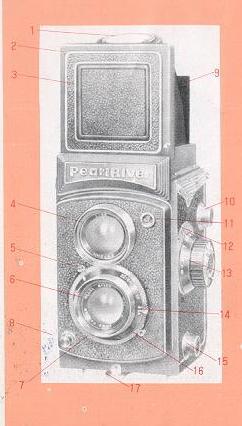
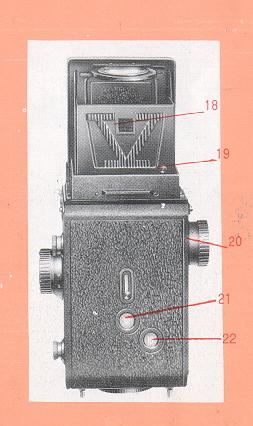
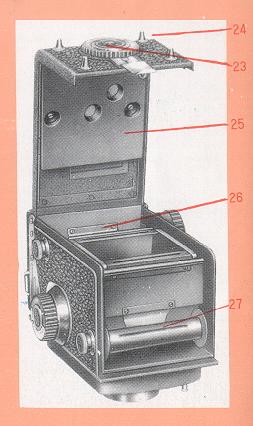
NAMES OF PARTS
|
|
|
|
1. Magnifier
2. Viewfinder cover
3 Direct viewing cover
4. Viewing
lens
5 Shutter tensioning lever
6. Photographic lens
7. Shutter
speed dish
8. Shutter release button
9, Front masking 8 cover
10.
Upper film spool knob
11. X Flash socket
12. Depth of field scale
13, Focusing knob
14, Aperture adjusting lever
15. Lower film spool
knob
16. Self-timer lever
17. Back cover locking hook
18. Directly
viewing window of vision
19. Releasing button for viewfinder cover
20. Winding wheel
21. 12 Pictures film counted window
22. 16 Pictures
film counted window23. Tripod bush
24. Back cover switch knob
25.
Film-pressure plate
26. Upper film chamber
27. Lower film chamber
|
|
LOADING FILM
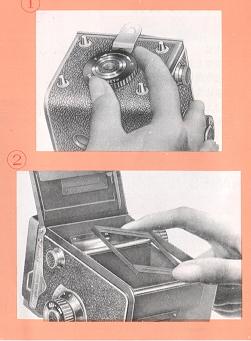 |
1. Turn the back cover switch knob in the direction of "0" arrow mark
and let locking lever extend forward. Then open the back cover. (Fig 1)
2 With 16 pictures for take photo, must put 16 pictures frame into back
frame of body, if 12 pictures for take photo, then take 16 pictures frame
away from back frame of body. (Fig 2)
3. Pull out the lower film spool knob and insert the roll film into the
fixed spool knob. Then press down the roll film and push the lower film
spool knob inward. (Fig 3)
|
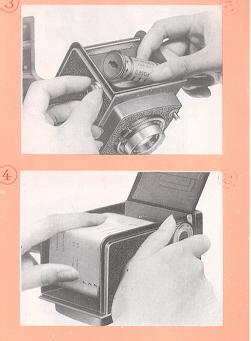 |
4. Draw out the front of protective
paper of film and insert it into the longer slot of the winding spool core
in the upper chamber. Then tighten the protective paper by turning the winding
wheel about a round. (Fig 4)
5. Close the back cover. Then turn the back cover switch knob in the
direction of "C" arrow mark and let the locking lever move back-ward until
the back cover in fastened.
|
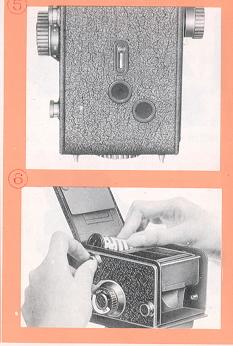 |
6. Pull out the cover of film counter
window. Advance the film by turning the winding wheel. When 16 pictures
for take photo, look at the film counted window of 16 pictures, if 12 pictures
for take photo, look at the film counter window of 12 pictures, until the
number "1" appears in the counter window. It shows the first picture is
ready. (Fig 5)
7. After the first picture is taken. you can turn
the winding wheel continuously for the next picture until the final picture
is completed.
8. After the picture having been taken, turn the winding
wheel continuously about 6~7 rounds. Then open the back cover, pull out
the upper film spool knob and take off the roll film. (Fig 6) |
VIEWING AND FOCUSING
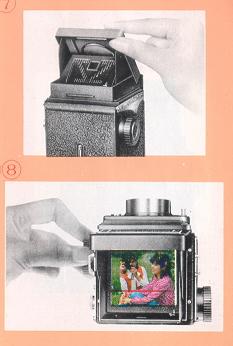 |
1. Open the viewfinder cover as shown in Fig 7.
2. View the subject appearing on the ground glass screen and rotate the
focusing knob until the subject on the screen is sharp, thus the focus is
well adjusted. The subject was contained between two red line in ground
glass screen are the photographic range of 16 pictures. The subject was
contained on whole ground glass screen are the photographic range of 12
pictures.
|
 |
3. Use the magnifier for finding a sharper
image. The magnifier will be raised up by pressing the direct viewing cover
inward and it will spring to its original position by pressing down the
magnifier frame. |
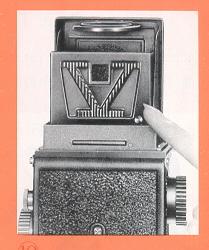 |
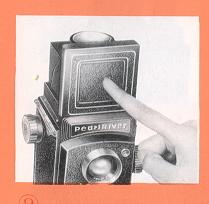
4. When the small square hole for viewing is adopted, press down the
direct viewing cover until it clicks into place of the rear masking cover
is opened. (Fig 9)
5. Compose your picture through the small square
hole of the rear masking cover for viewing, when 16 pictures for take photo
is not used.
6. After taking picture press the releasing button at the lower part
of the rear masking cover and let the direct viewing cover spring to original
position. (Fig 10)
|
SETTING SHUTTER
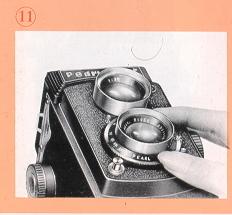 |
Turn the shutter speed dish and set
the red mark to the required speed value on the speed scale. (Fig 11) |
 |
|
RELEASING SHUTTER
 |
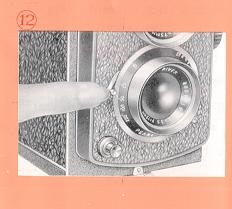
1. Tension the shutter by pulling down the shutter tensioning lever to
the bottom until a click is heard. (Fig 12)
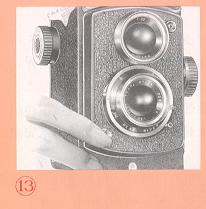
2. After tensioning shutter press the shutter release button gently and
then a picture taking is accomplished. (Fig 13)
3. When a cable release is used, on the shutter release button screw
in the cable release.
|
 |
SETTING APERTURE
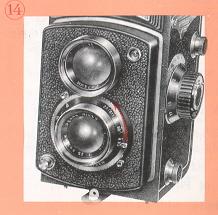
Pull the aperture setting lever and set the arrow mark to the required
aperture number. (Fig 14)
|
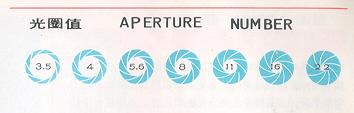 |
Examples of aperture at each F/stop |
DEPTH OF FIELD
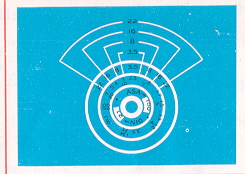 |
When you focus the camera on a subject
there is a certain range extending in front and behind the subject within
which other objects will also appear sharp. This range is called the 'Depth
of Field" and it varies with aperture. The larger the aperture, the shorter
the Depth of Field, and the smaller the aperture, the longer the Depth of
Field. The value on the Depth of Field scale indicate the aperture number
and on the focusing knob designate the distance in meter. |
After focusing the distance value pointed by the same two aperture number indicates
the Depth of Field in the condition of that aperture number. For instance, if the
camera is focused to 3 metres with aperture number 16, the Depth of Field is approximately
from 2.3 to 5 meter.
FLASH PHOTOGRAPHY
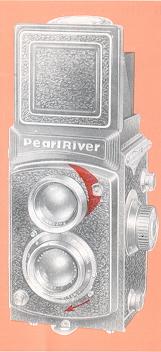 |
Pearl River 4-S Camera can be used in
conjunction with Electronic Flash in 1/60 second or slower shutter
speed to photography in synchronization. Insert the cable plug into the
flash socket and choose the distance and aperture according to the Flash
guide number. For instance, the Electronic Flash guide number is 16, ASA
100 (21 DIN) film, on the Exposure Table of Flash designated: the distance
of subject is 2 meter, then the aperture is 8. |
SELF- TIMER
When the self-timer
is applied the camera should be stabilized with a tripod. Pull down the shutter-tensioning
lever first then push the self-timer lever under, the shutter will go into action
at the time 8~12 seconds after pressing the shutter button.
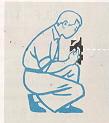
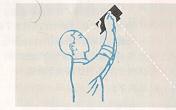
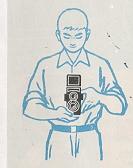
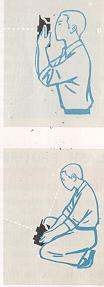
Holding the camera